Four steps.
One afternoon.
No onboarding wizard. No 40-page manual. By dinnertime your family is logged in, your chores are scheduled, and the kids already want to claim a reward.
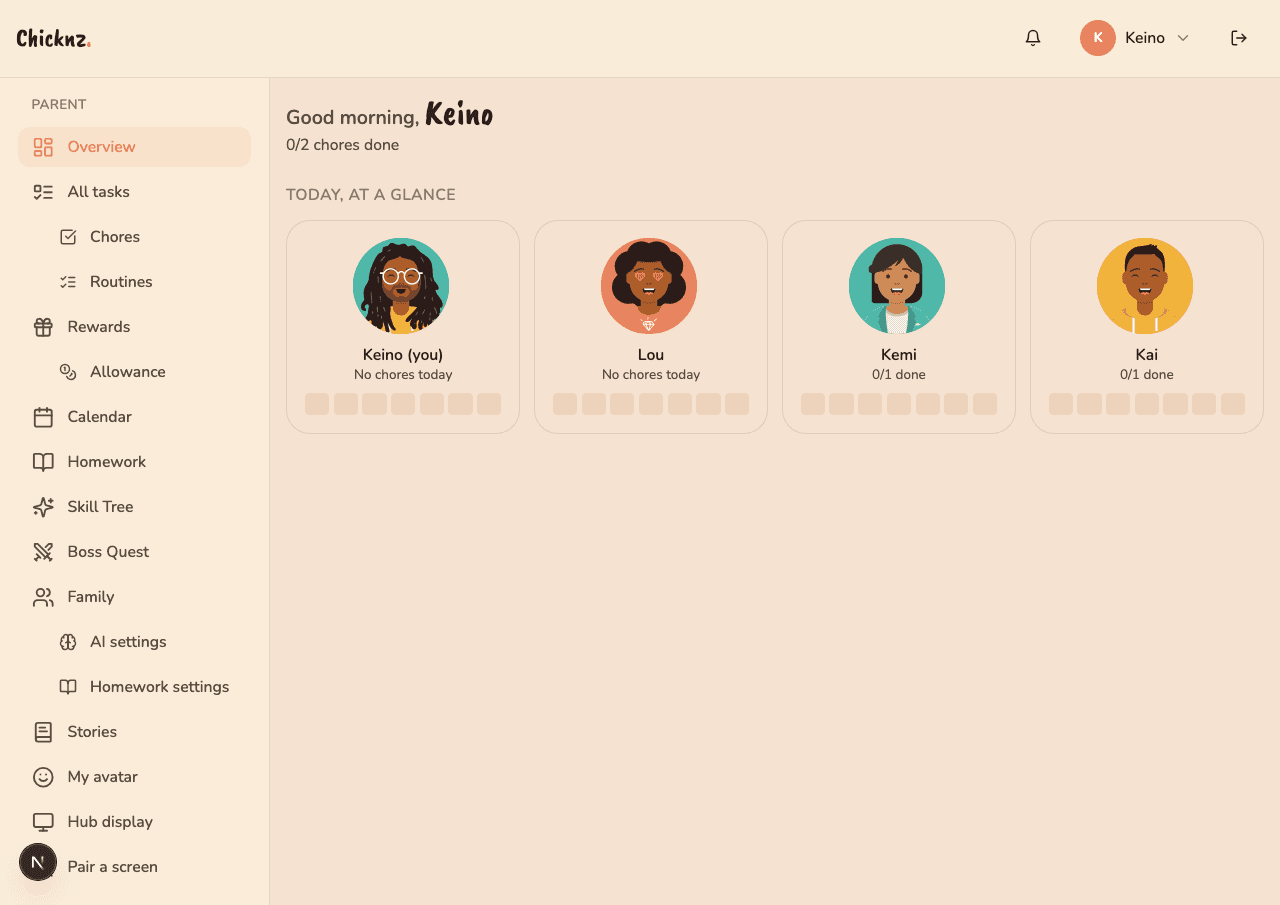
Add your family
Sign up with email or Google. Pop in each kid's name and age. Chicknz picks the right UI tier for each one automatically: Little for 4-6, Kid for 7-10, Tween for 11-13, Teen for 14-16. No setting to fiddle with, no theme picker.
- Parent account with full admin
- Kid accounts get PIN-only login
- Age picks the UI; you don't
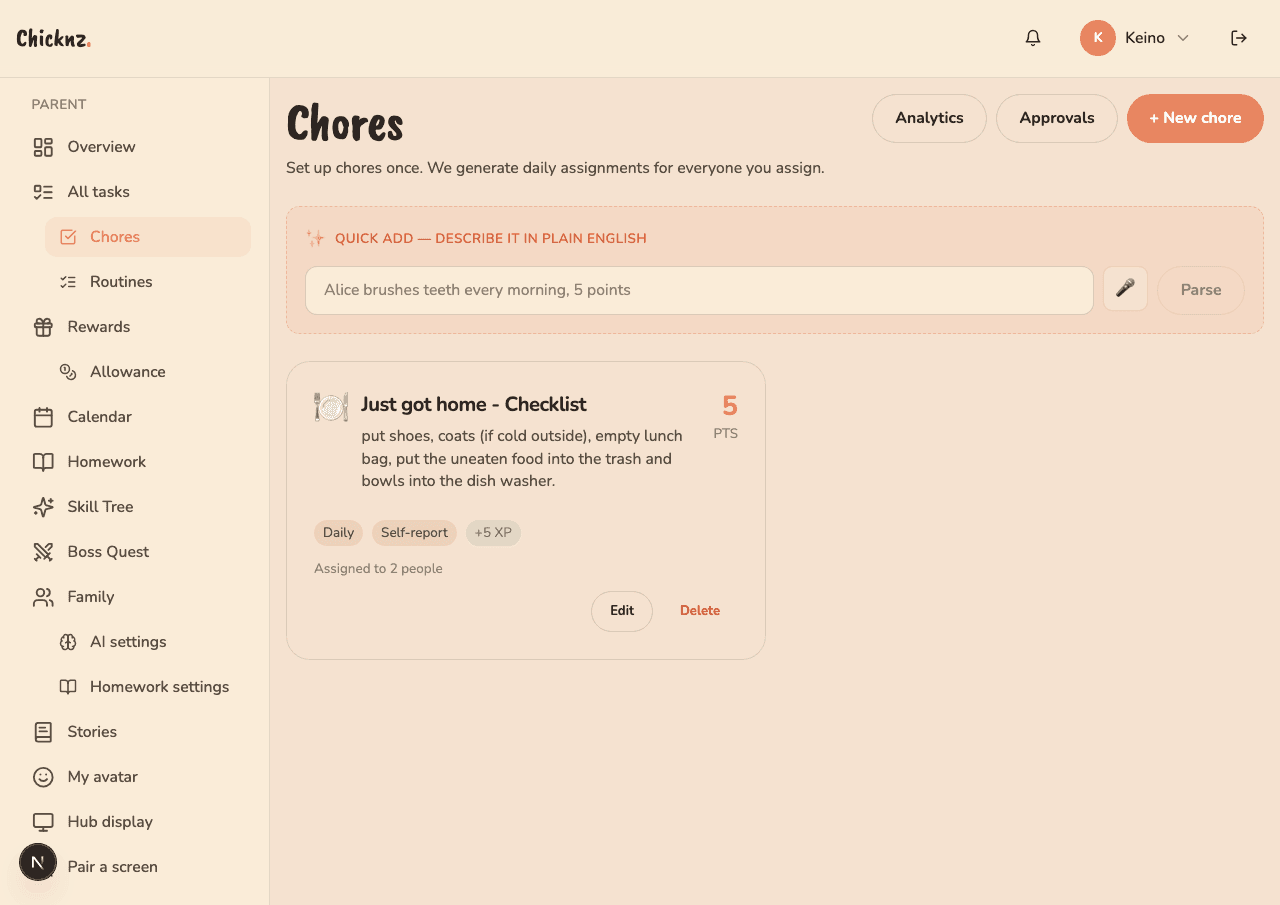
Describe what you want done
Type chores the way you'd say them. "Lou makes her bed every morning, 3 points." The app parses out who, what, how often, and how much it pays. You approve before it goes live, and you can edit anything the AI got wrong.
- Recurring or one-off, your call
- Photo proof, self-report, or parent approval
- Skill-tagged so doing chores levels kids up
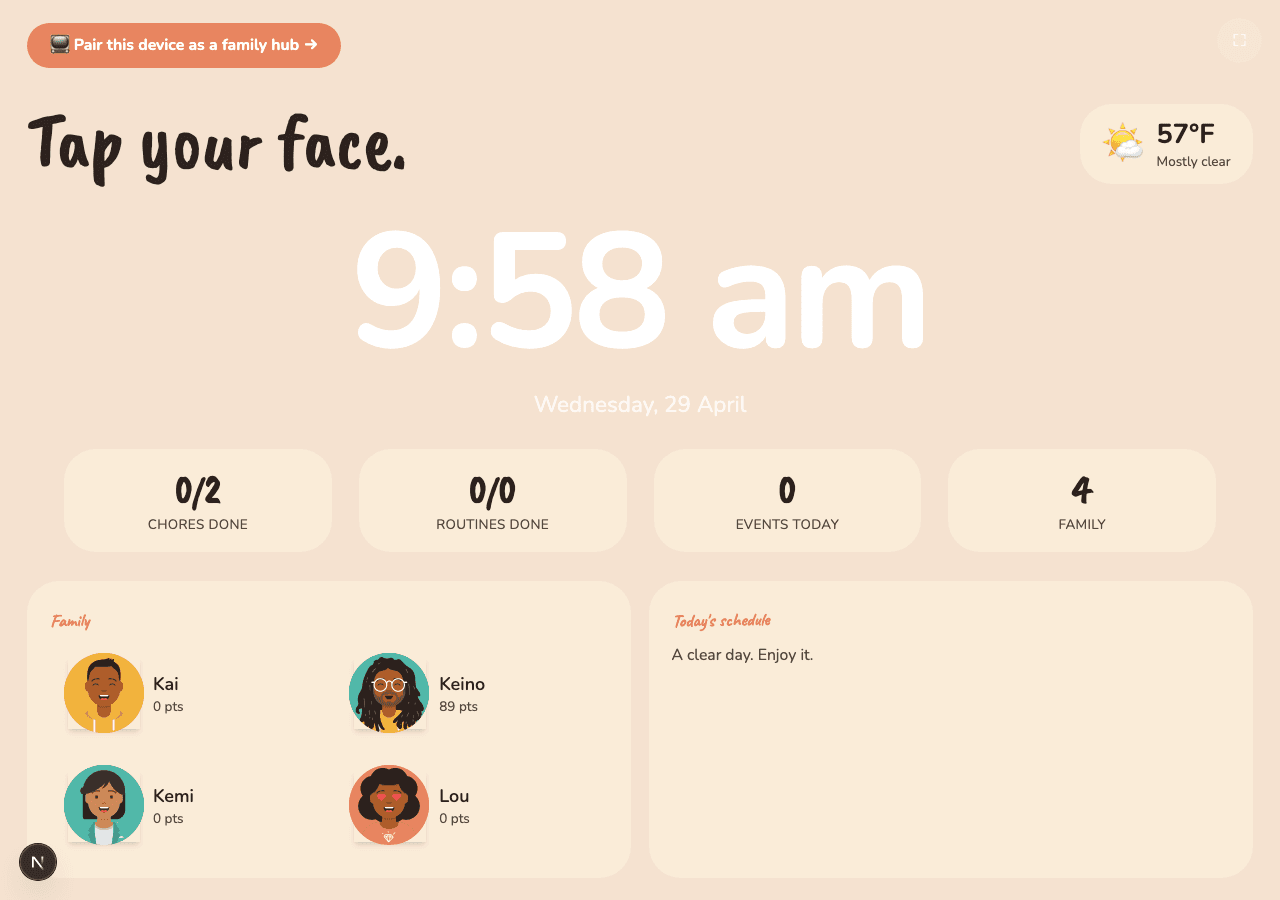
Mount the tablet, hand out phones
Any cheap Android tablet works as the wall hub: $40 Fire HD, that old iPad in the drawer. Kids tap their photo to log in. Parents and older kids carry a phone PWA. Everything stays in sync. Works offline.
- Tap-photo + PIN login at the wall, no passwords
- PWA installs from the browser, no app store
- Offline-first, syncs when the kitchen wifi is back
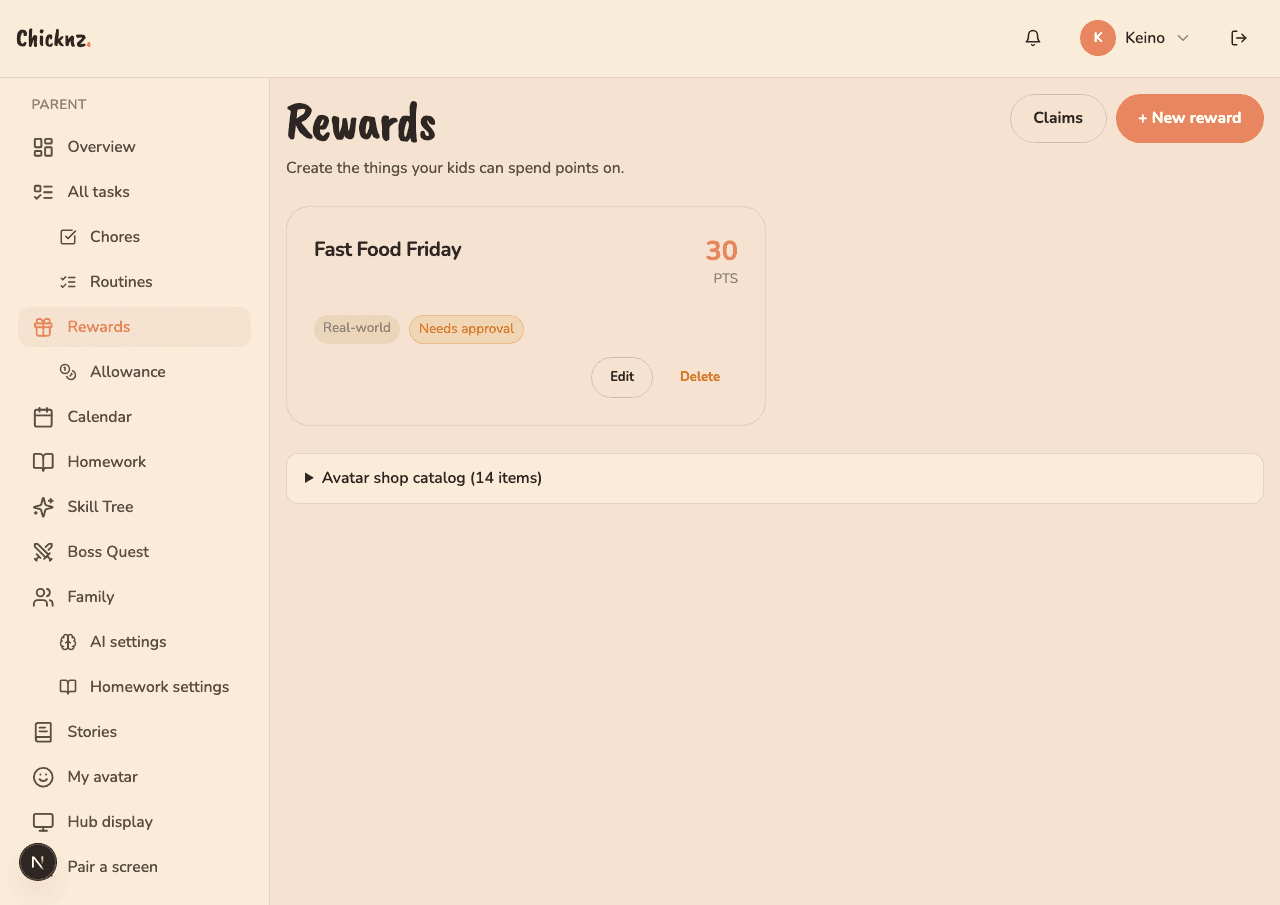
Watch it run
Kids do chores and mark them done. You approve from your phone in two taps. Points become rewards the kids actually want: screen time, allowance, family pizza night. Streaks build. Skill trees level up. The fridge stops looking like a war room.
- Real rewards, not made-up currency
- Two-tap approvals from anywhere
- Weekly summary tells you what's working
But what about…
The AI parses something wrong.
You see the parsed version before it goes live. Edit anything, save. The AI is a typing helper, not a gatekeeper.
My 5-year-old has no phone.
That's the whole reason for the hub. Tap-your-photo login. They never type a password.
We lose wifi a lot.
The hub and PWA both work offline. They sync the next time you're back online. Nothing gets lost.
My kid will cheat and mark stuff done.
Optional photo proof. Optional parent approval. Use them where trust hasn't been earned yet.
I don't want my kid talking to an AI.
The AI doesn't talk to kids. It only helps you, the parent, set things up. Kids see chores and rewards, not a chatbot.
What does it cost?
Free during beta. We'll tell you 60 days before that changes, with a clear price.
Try it with your family.
Free during beta. Import a family or start from scratch. Takes five minutes. Your fridge will thank you.